Designing Innovative Movement Mechanics for Physics-Based First-Person Games
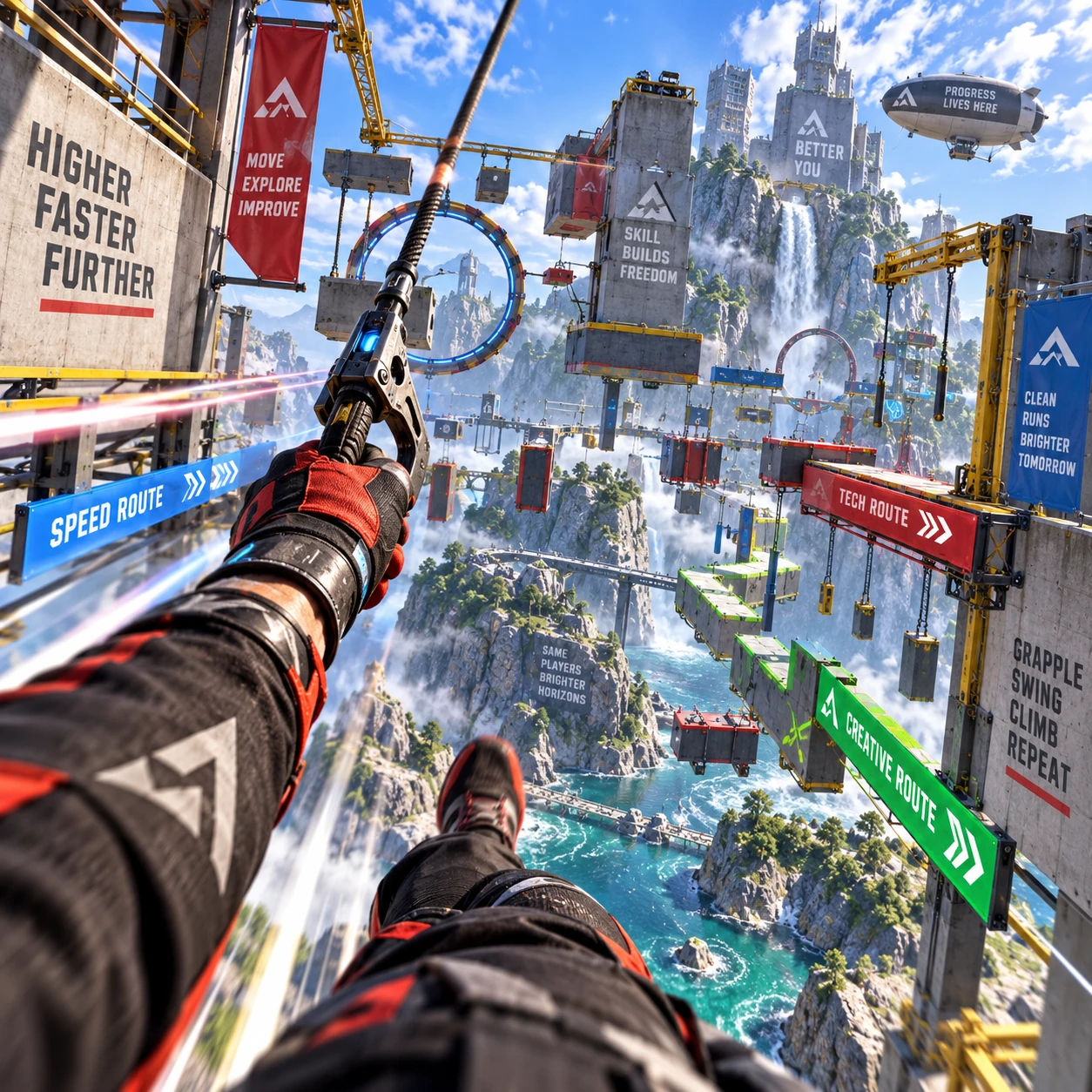
Movement is the player’s most constant conversation with a first-person game. A jump, slide, or sudden turn can make the world feel solid and responsive, or expose controls that seem to fight the player. In physics-based games, the design challenge is to make momentum and inertia matter while keeping every action understandable and intentional.
What Makes Movement Feel Physics-Based?
Physics-based movement feels physical when player input changes motion through understandable forces, momentum, and inertia. The player should sense how speed builds, carries forward, and changes when they brake, turn, jump, or hit a surface.
That does not require a perfect simulation. A game can exaggerate gravity or soften collisions while preserving a convincing cause-and-effect relationship. What matters is consistency: if a character lands with speed, that speed should influence the next move in a way players can learn.
Think of movement as a loop: input, motion, feedback. The player presses forward; acceleration builds; the view and sound communicate the growing speed. When they release the input, inertia carries them onward. Deceleration then determines how quickly they regain precise control. Each link needs to be legible, especially in a first-person view where players cannot see their own body.
A useful design test is to ask whether players can predict the result of an action before they perform it. If a small turn at high speed causes a large drift, that may feel thrilling once understood, but arbitrary if the game never signals the rule. Physics should create decisions, not surprises that appear disconnected from input.
Mechanics That Expand Player Expression
Movement mechanics expand player expression by giving players different ways to build, redirect, and spend momentum. Grappling hooks, wall-running, sliding, and momentum-based jumps can turn traversal into a series of choices rather than a sequence of fixed animations.
A grappling hook can pull a player toward a point or let them swing around it. Pulling is easier to read and control; swinging preserves more momentum and gives players room to improvise. The trade-off is precision: free swinging can create exciting routes, but it may also make aiming and landing harder.
Wall-running rewards players for approaching surfaces at speed and choosing a route through space. Decide early whether a wall-run preserves speed, drains it, or boosts it. That rule affects how players chain the mechanic into jumps and grapples. Sliding offers another kind of choice: it can lower the player’s profile, carry speed under obstacles, or help them enter a jump with extra momentum.
Bunny hopping and other momentum-based jumps reward timing and continuous movement. They can produce a satisfying skill ceiling, but generous speed retention may let practiced players bypass intended challenges. A mechanic earns its place when it adds a distinct decision, such as when to preserve speed and when to trade it for a sharper turn.
Before adding a mechanic, write down its movement verb and its cost. A grapple might mean “redirect,” while a slide means “carry speed through a low space.” If two mechanics solve the same problem in the same way, one may add complexity without adding meaningful agency.
Balancing Responsiveness and Physicality
Responsive physics-based movement gives player input a clear effect while preserving enough inertia to make speed and weight matter. Tune acceleration, deceleration, turning, and air control together; changing one can alter the feel of every other action.
Start with the player’s basic control envelope. How long does it take to reach top speed? How much distance is needed to stop? How quickly can the player reverse direction? These questions are more useful than aiming for a vague feeling of “realism.” A heavy character may accelerate slowly but retain speed well, while a nimble character may turn quickly and lose speed during sharp direction changes.
Then tune exceptions deliberately. Strong air control can make jumps feel fair and expressive, but it reduces the importance of a good takeoff. High friction makes movement precise, though it can erase the thrill of momentum. Choose each parameter for the experience it creates, and test it at low and high speeds rather than judging it from a standstill.
Player feedback makes hidden physics readable. Use a restrained combination of audio, animation, camera response, and environmental cues. Wind noise can signal speed; a brief camera tilt can communicate a hard turn; a distinct sound can confirm a grapple latch. Keep feedback clear without obscuring aim or causing visual discomfort. Offer options such as reduced camera shake where appropriate.
For a practical tuning pass, record a few repeatable actions: sprint and stop, jump across a gap, turn at top speed, and grapple to a landing. Compare the distance, duration, and player impression after each change. Numbers help diagnose a problem, but playtests reveal whether the change feels fair.
Movement and Level Design as One System
Movement and level design work best as one system: spaces should teach the mechanics, invite their use, and reward players for mastering them. A grapple has little value in a corridor with no useful anchors, while a wall-run needs surfaces placed where players can spot and reach them.
Build a simple learning sequence. First, introduce a mechanic in a safe space. Next, offer a clear obstacle that asks players to use it once. Finally, combine it with a familiar mechanic or add a risk, such as choosing between a fast exposed route and a slower protected one. This structure teaches without stopping play for lengthy instructions.
Use geometry to communicate affordances. A distinctive grapple point, a continuous wall surface, or a low opening can hint at the intended action before a tutorial prompt appears. At the same time, avoid making every route mandatory. An alternate path lets players who understand momentum express skill, while newcomers can still progress.
Test spaces at different movement speeds. A gap that feels generous at walking pace may become difficult to read during a fast approach. Check sightlines, landing zones, and recovery options: if a player misses a jump, can they grab a ledge or reach a lower route? Good level design makes successful movement exciting and failure informative.
Prototyping and Testing Movement
Prototype movement by testing one core action at a time, then checking how it interacts with the rest of the system. A small test room and a repeatable set of challenges reveal control problems faster than building a large level around an unproven mechanic.
Begin with a graybox that includes flat ground, slopes, walls, gaps, and safe landing areas. Add basic first-person controls and one movement mechanic. Ask testers to complete the same short course, then watch where they hesitate, miss inputs, or succeed by accident. Avoid explaining the mechanic before the first attempt; their behavior shows whether the design communicates its rules.
Use a focused feedback loop:
- Observe: note where players lose control, misread a surface, or fail to understand why speed changed.
- Diagnose: separate a control issue from a level-layout or feedback issue.
- Adjust: change one variable at a time, such as air control or grapple range.
- Retest: repeat the same challenge, then check whether the adjustment created a new exploit.
Test for accessibility and comfort alongside mastery. Ask whether players can reduce camera motion, rebind controls, or use an alternate input for repeated actions. A highly expressive system can still exclude players if it depends on rapid, repeated button presses. Keep advanced techniques available without making them the only way to navigate.
Common Design Pitfalls
The most common movement design pitfalls are inconsistent physics, unclear affordances, and mechanics that are difficult to control or easy to exploit. Each can make a promising system feel unreliable, even when its individual parts work well.
- Changing physics without signaling the cause: Players may blame controls when a surface silently changes friction or a zone alters gravity. Make these effects visible, audible, or easy to infer, and use them consistently.
- Adding mechanics before defining their purpose: A long list of moves can overwhelm players if each one has no distinct role. Define the decision a mechanic enables, then remove or combine moves that duplicate another.
- Balancing only for the intended route: Skilled players may chain bunny hops, grapples, and wall-runs to skip obstacles. Decide whether that mastery is welcome. If it is, ensure skipped content does not break progression; if not, use route geometry and clear constraints rather than arbitrary speed caps.
- Making failure hard to read: If players cannot tell whether they missed an anchor, lacked speed, or hit an invisible limit, they cannot learn. Improve feedback and make recovery routes available where possible.
These issues often surface through observation, not a design document. Watch a new player attempt a short course without coaching. Their first misunderstanding is useful evidence: it tells you what the game has not yet communicated.
Frequently Asked Questions
Players find first-person movement satisfying when input produces clear, consistent results and each mechanic supports a meaningful choice. The answers below cover common design questions about realism, teaching, and prototyping.
What makes a first-person movement system feel satisfying?
A satisfying system connects input to visible results, provides useful feedback, and gives players room to improve. Momentum should matter, but players need enough control to understand how to build or redirect it.
How can developers balance realistic physics with responsive controls?
Treat realism as a design reference, not a rule. Tune acceleration, inertia, friction, and air control for the intended experience, then keep the results consistent and communicate major changes through feedback.
How should levels teach players to use advanced movement mechanics?
Introduce each move in a safe space, then offer a clear challenge that uses it and a later opportunity to combine it with another mechanic. Visual affordances and optional routes help teach without forcing every player through the same pace.
Which movement mechanics are suitable for a small prototype?
Start with one mechanic that changes how players traverse space, such as sliding or a simple grappling hook, alongside basic jumping and acceleration. A compact test course can show whether the mechanic is readable, enjoyable, and compatible with your level design before the team adds more systems.